PCI DSS
Plan availability
The PCI DSS dashboard is available on all plans.
What is PCI DSS?
The Payment Card Industry Data Security Standard (PCI DSS) is a set of guidelines that ensures the safety of card transactions globally. Created by the PCI Security Standards Council, its goal is to protect against data theft and fraud in debit and credit card transactions.
The 6.4.3 and 11.6.1 requirements are part of PCI DSS v4.0.1. You can read the full specification on the PCI Security Standards Council website.
Requirement 6.4.3: Script Observability
PCI DSS 4.0.1 requires that all scripts, including third-party scripts, be monitored for changes. This ensures that unauthorized changes to scripts are detected and addressed promptly.
To meet 6.4.3 requirements, you must:
- Confirm third-party scripts are authorized
- Assure script integrity
- Maintain an inventory with written justifications
cside provides comprehensive script observability features that help you meet these requirements through the PCI DSS dashboard.
Requirement 11.6.1: Header Observability
Along with 6.4.3, you must also comply with 11.6.1 requirements, which mandate monitoring HTTP headers for changes on payment pages.
To meet 11.6.1 requirements, you must:
- Alert personnel to unauthorized changes to HTTP headers
- Evaluate received HTTP headers and payment pages
- Operate at least weekly or per your entity's risk analysis (referenced by 12.3.1)
Overview
The PCI DSS dashboard helps you monitor and manage client-side scripts on your payment pages. There are two main setup options depending on your payment implementation:
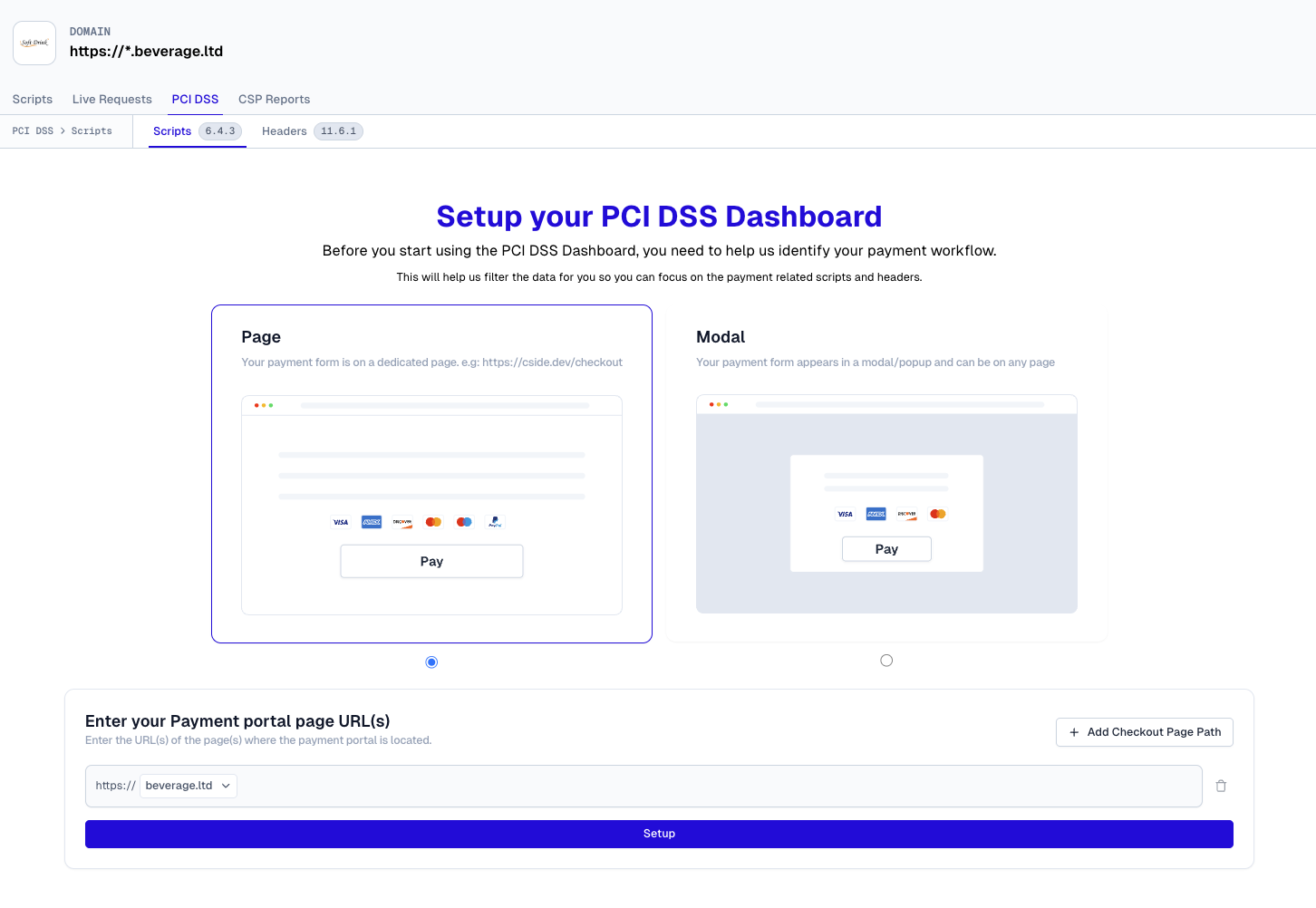
1. Page Setup
Use this option if your payment pages are:
- Server-side rendered (SSR)
- Loaded through a page reload/navigation
- Isolated from scripts present during client-side navigation
This setup filters the script list to only show scripts present on designated payment pages.
2. Modal Setup
Use this option if your payment forms are implemented through:
- Modal windows
- Popup widgets
- Paywall overlays
- Any dynamic UI where payments can be processed on multiple pages
This setup monitors scripts across your entire application since payment forms can appear on any page.
Configuration
Page Setup
You can configure multiple payment page URLs using the URL Pattern API.
Example pattern:
Modal Setup
Configure using a CSS selector that identifies your payment modal/form.
Example selector:
The dashboard will display all scripts that could potentially interact with the payment form when it's active.
PCI DSS Requirement 11.6.1
To meet PCI DSS requirement 11.6.1, cside monitors all 14 security-impacting headers when visitors access your payment pages. This helps ensure your security headers are properly configured and maintained to protect payment data.
The following security headers are monitored:
- Content Security Policy
- Content Security Policy Report Only
- Report To
- Reporting Endpoints
- Strict Transport Security
- X-Frame-Options
- Cross-Origin Resource Policy
- Cross-Origin Opener Policy
- Cross-Origin Embedder Policy
- Permissions Policy
- X-Content-Type-Options
- X-Permitted-Cross-Domain-Policies
- Referrer Policy
- X-XSS-Protection
Header changes are included in your weekly PCI DSS report. Reports must be sent at least weekly to meet compliance requirements. The reports are also available on demand in the reports tab under the PCI DSS view. Soon, you can opt in to receive notifications when header changes are detected in real time.
Security headers are typically static for most websites. However, some web proxies inject headers during sampling, which may result in noisy reporting.
If your payment pages are behind a VPN or in a locked-down environment, we can provide a static IP address to enable header checks.